504 Plan and Accommodation Compliance Tracker
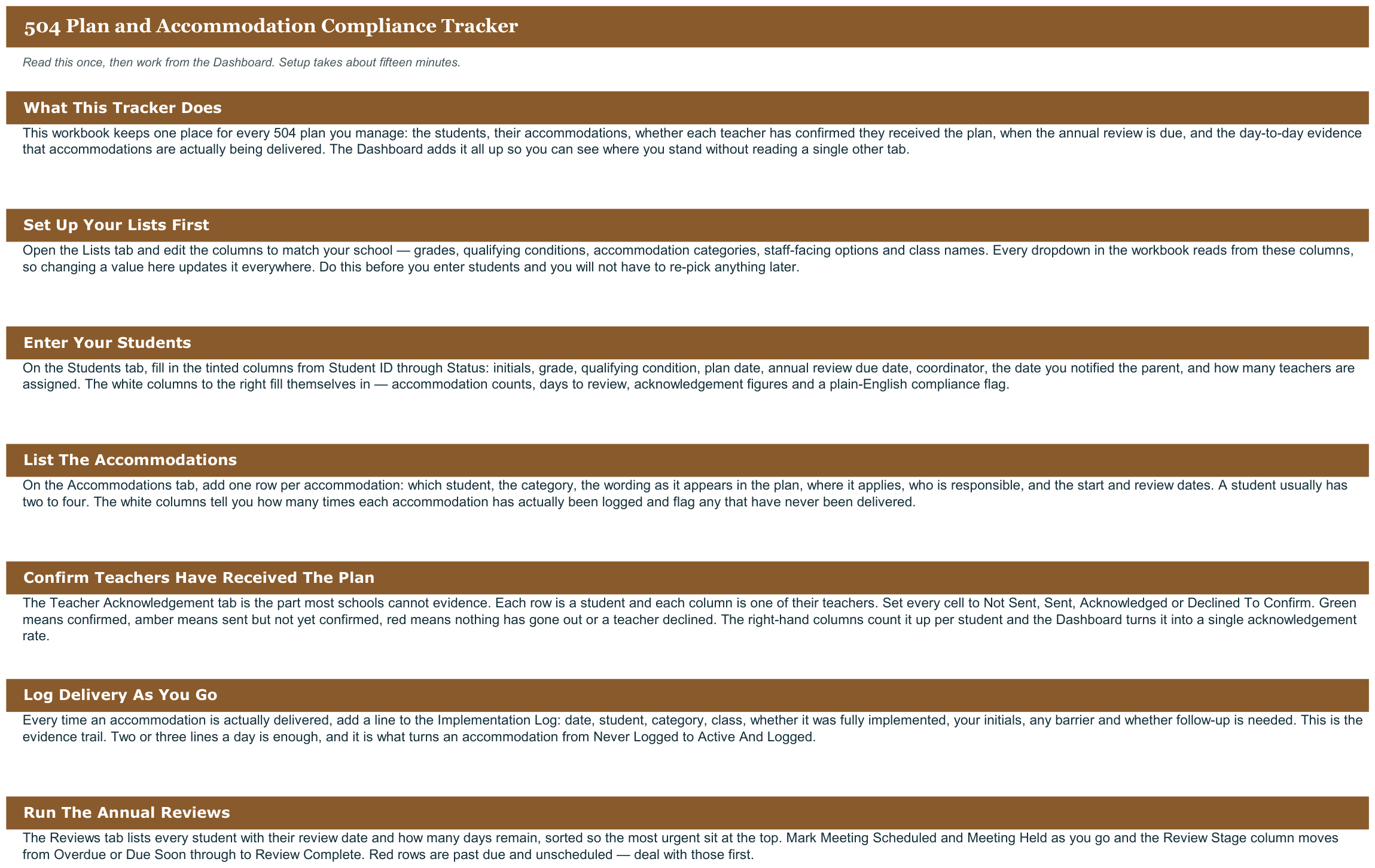
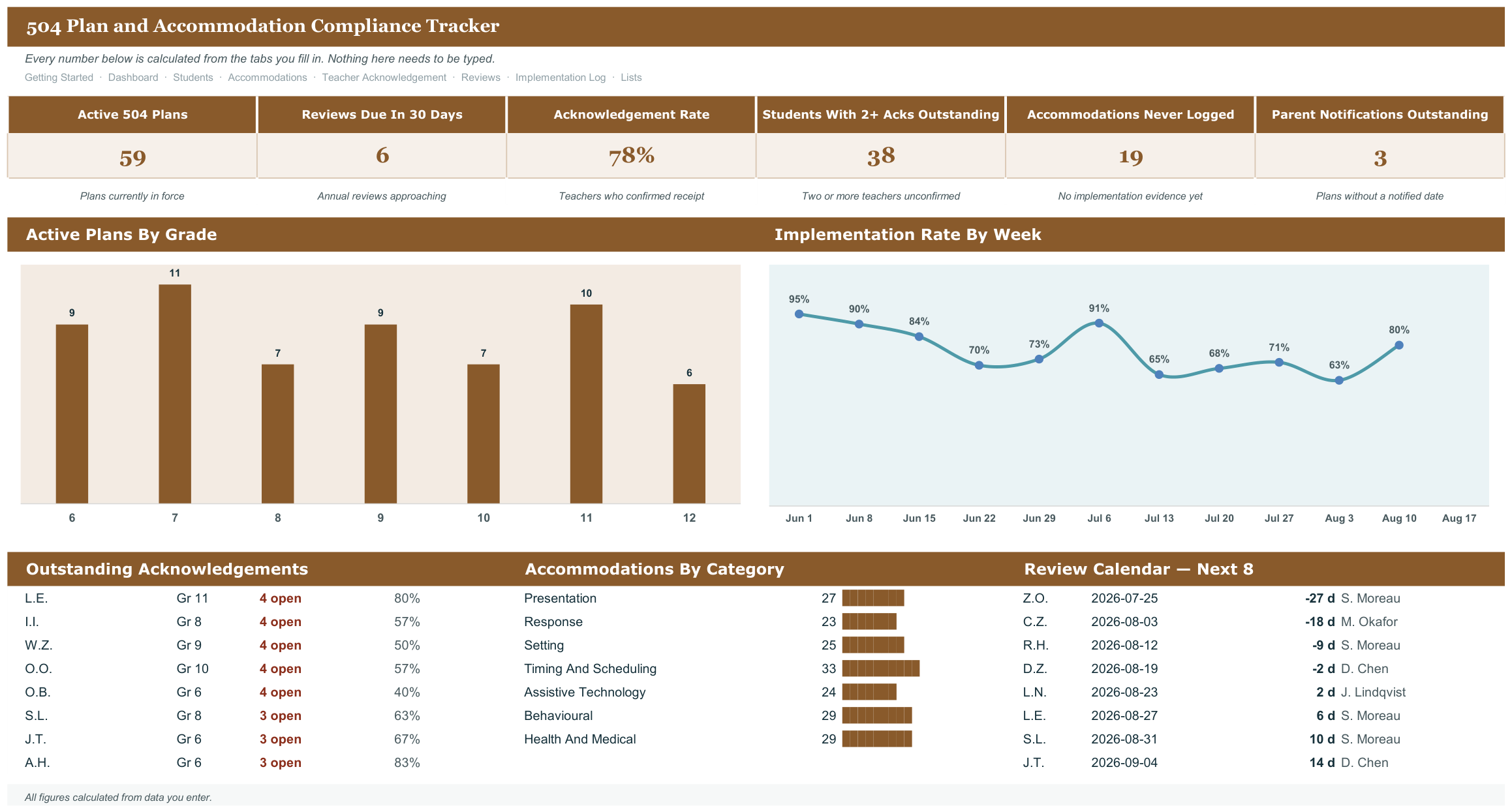
Teacher acknowledgement tracking. The coordinator's real problem is proving every teacher of every student received and acknowledged the accommodations. A grid tab with students down and teachers across, showing sent, acknowledged, and outstanding, turns an untrackable obligation into a one-screen answer. It opens in Microsoft Excel and in Google Sheets, has no macros and nothing to install, and is reusable every school year.
What it does
- Teacher acknowledgement tracking.
- Built around the dates that actually bite: Annual 504 review dates, teacher acknowledgement collection, parent notification timelines.
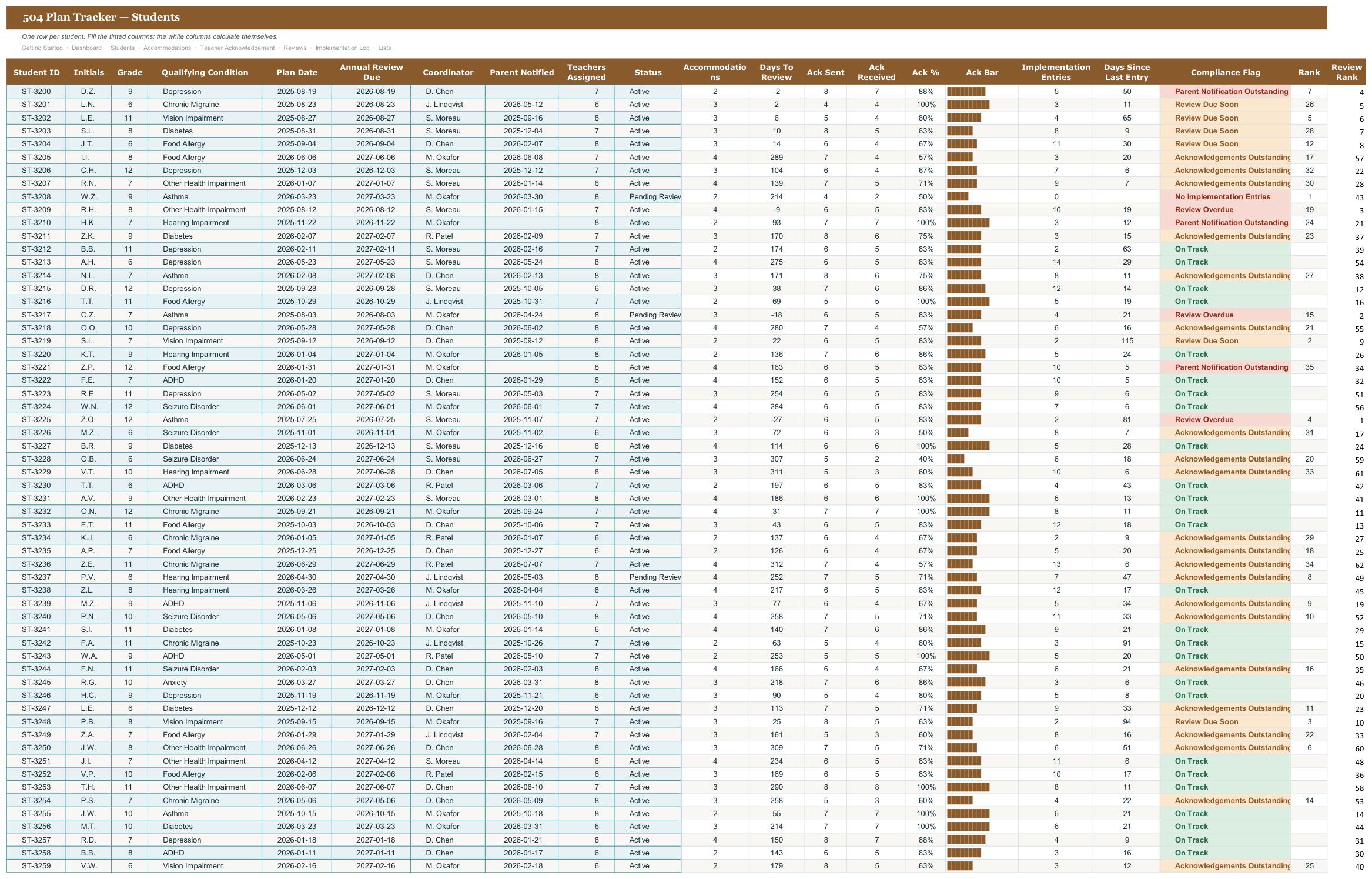
- Students tab
- Accommodations tab
- Teacher Acknowledgement tab
- Reviews tab
- Implementation Log tab
- Every threshold and dropdown editable on the Lists tab, nothing hardcoded
- Two files included: a blank workbook and a filled example to learn from
- Works in Excel and Google Sheets, no add-ons or macros
Every tab in the workbook
These are the actual sheet names in the file, not a feature list.
- Getting Started
- Dashboard
- Students
- Accommodations
- Teacher Acknowledgement
- Reviews
- Implementation Log
- Lists
What it looks like
Works in
- Microsoft Excel 2016 or later, Windows and Mac
- Google Sheets - upload to Drive and open
- No macros, no add-ins, no subscription
Honest scope
This is an organizational template. It reports the data you enter. It does not determine mastery, eligibility or compliance, and it does not replace your district or clinic documentation system - those stay your professional judgement.