ABC Behavior Data Tracker
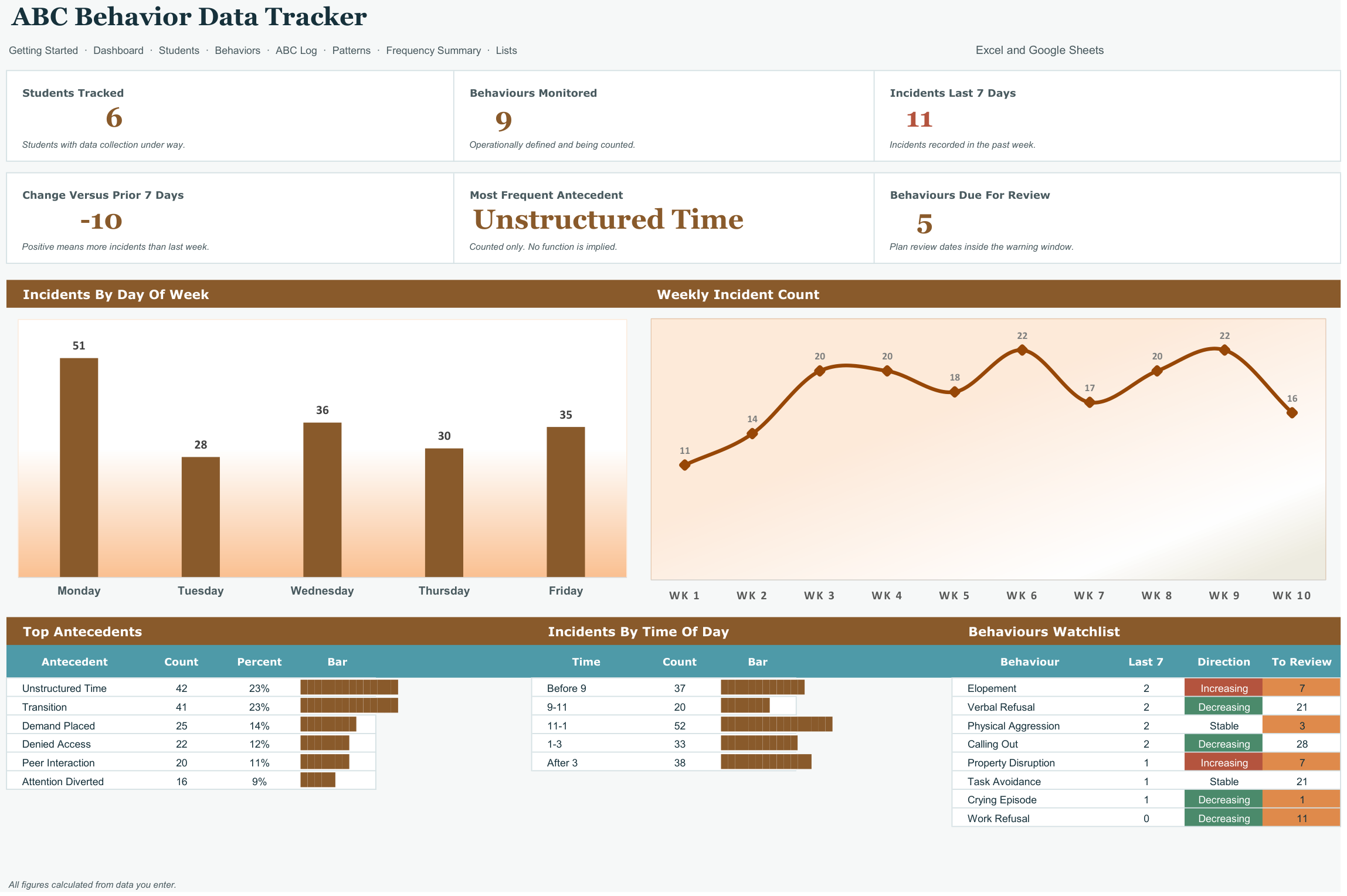
Pattern summary without interpretation. The workbook counts incidents by antecedent, by time of day, by setting, and by day of week, and shows those counts as REPT bars — so the pattern is visible to the person qualified to interpret it. It never labels a function, never names a hypothesis, and says so plainly. It opens in Microsoft Excel and in Google Sheets, has no macros and nothing to install, and is reusable every school year.
What it does
- Pattern summary without interpretation.
- Built around the dates that actually bite: FBA and BIP review cycles, IEP behaviour goal reporting, incident reporting requirements.
- Students tab
- Behaviors tab
- ABC Log tab
- Patterns tab
- Frequency Summary tab
- Every threshold and dropdown editable on the Lists tab, nothing hardcoded
- Two files included: a blank workbook and a filled example to learn from
- Works in Excel and Google Sheets, no add-ons or macros
Every tab in the workbook
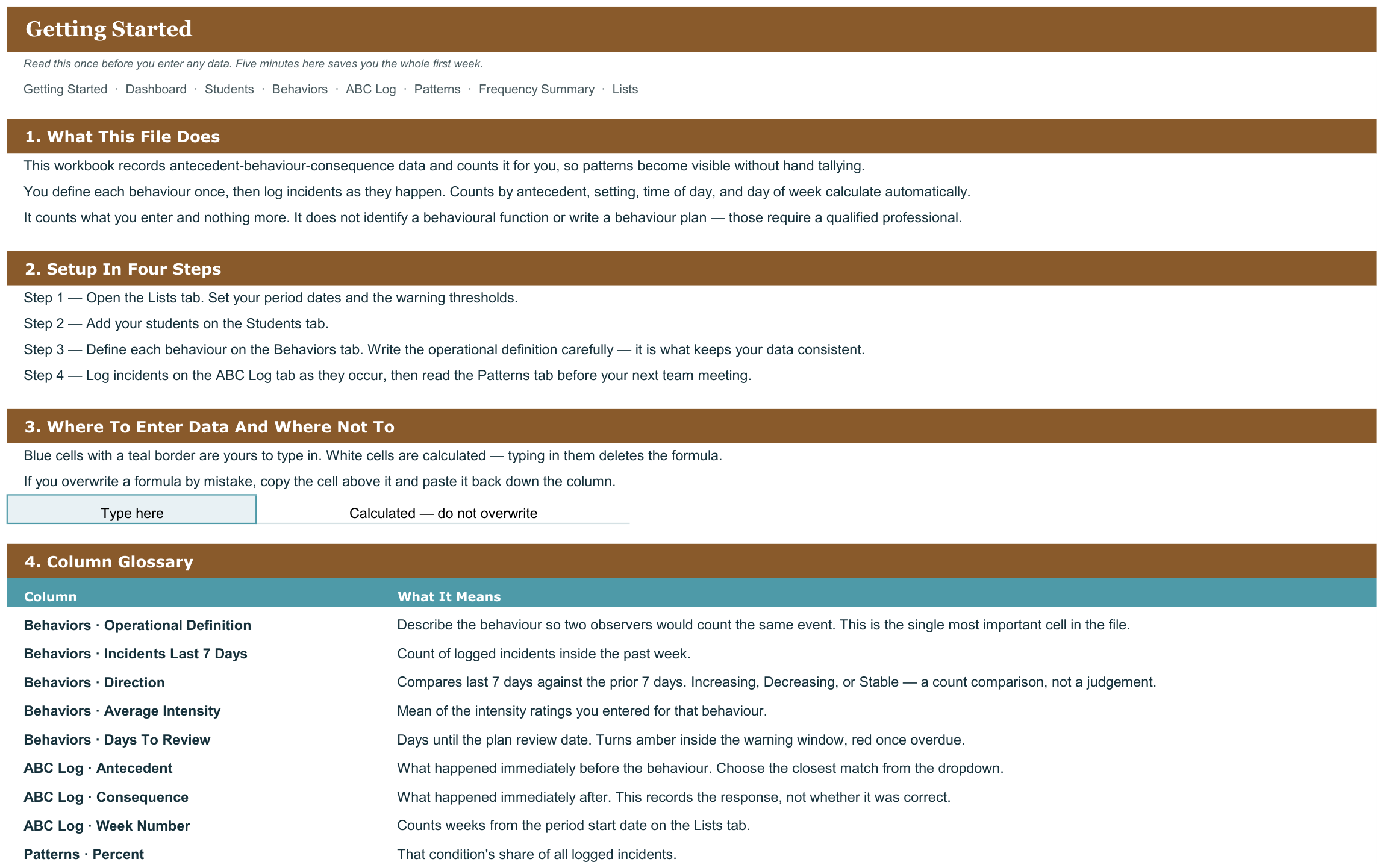
These are the actual sheet names in the file, not a feature list.
- Getting Started
- Dashboard
- Students
- Behaviors
- ABC Log
- Patterns
- Frequency Summary
- Lists
What it looks like

Works in
- Microsoft Excel 2016 or later, Windows and Mac
- Google Sheets - upload to Drive and open
- No macros, no add-ins, no subscription
Honest scope
This is an organizational template. It reports the data you enter. It does not determine mastery, eligibility or compliance, and it does not replace your district or clinic documentation system - those stay your professional judgement.