Clinical Supervision Hours and Fieldwork Tracker
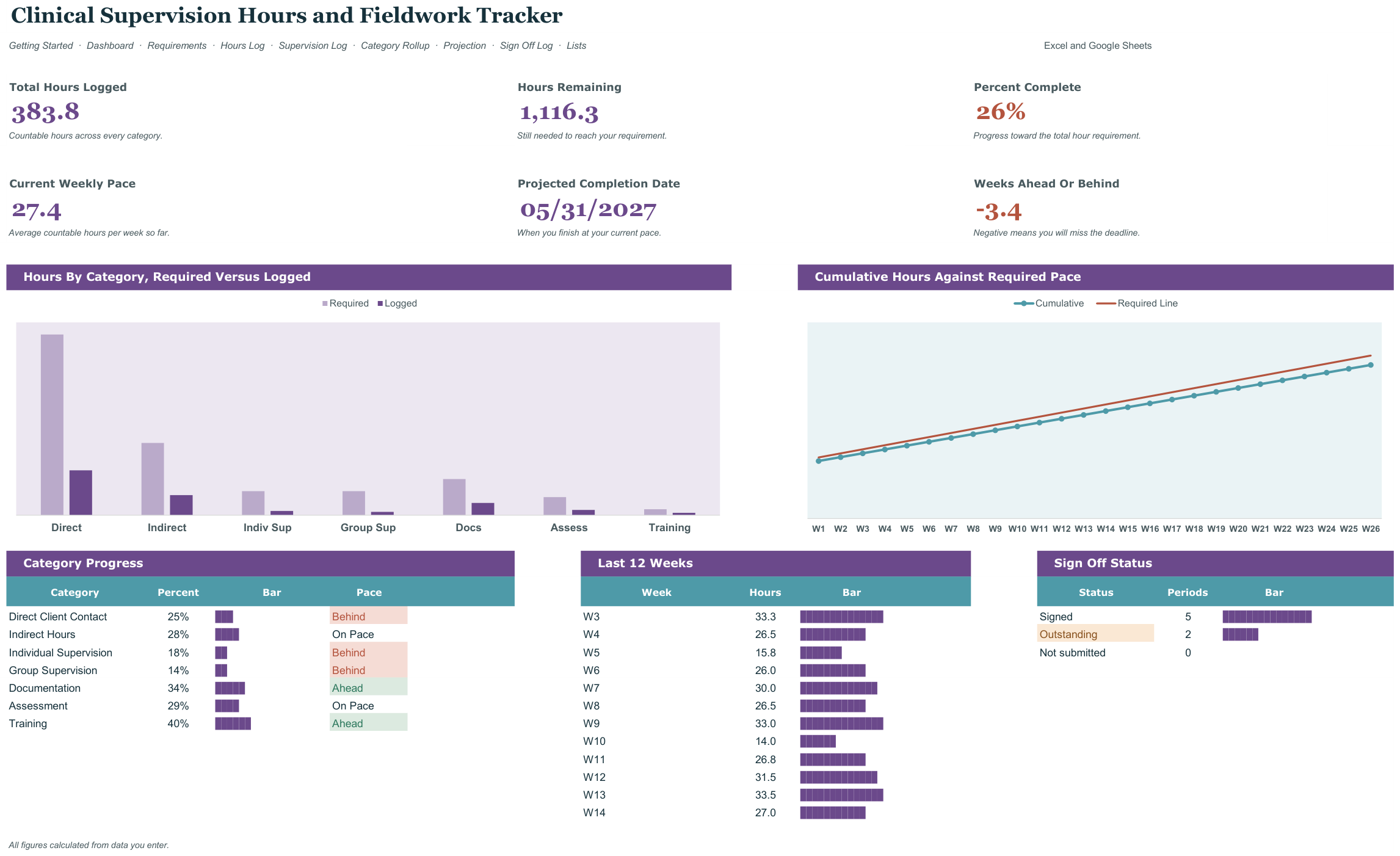
Projected completion date. The buyer's real question is 'at my current rate, when do I finish?' The file computes hours logged, hours remaining, current weekly average, and a projected completion date — then compares it to their deadline and flags 'ahead', 'on pace', or 'will miss by N weeks'. It also splits hours into the categories boards actually count separately: direct client, indirect, group supervision, individual supervision. It opens in Microsoft Excel and in Google Sheets, has no macros and nothing to install, and is reusable every school year.
What it does
- Projected completion date.
- Built around the dates that actually bite: A fixed hour requirement with a completion deadline, plus periodic supervisor sign-off.
- Requirements tab
- Hours Log tab
- Supervision Log tab
- Category Rollup tab
- Projection tab
- Sign Off Log tab
- Every threshold and dropdown editable on the Lists tab, nothing hardcoded
- Two files included: a blank workbook and a filled example to learn from
- Works in Excel and Google Sheets, no add-ons or macros
Every tab in the workbook
These are the actual sheet names in the file, not a feature list.
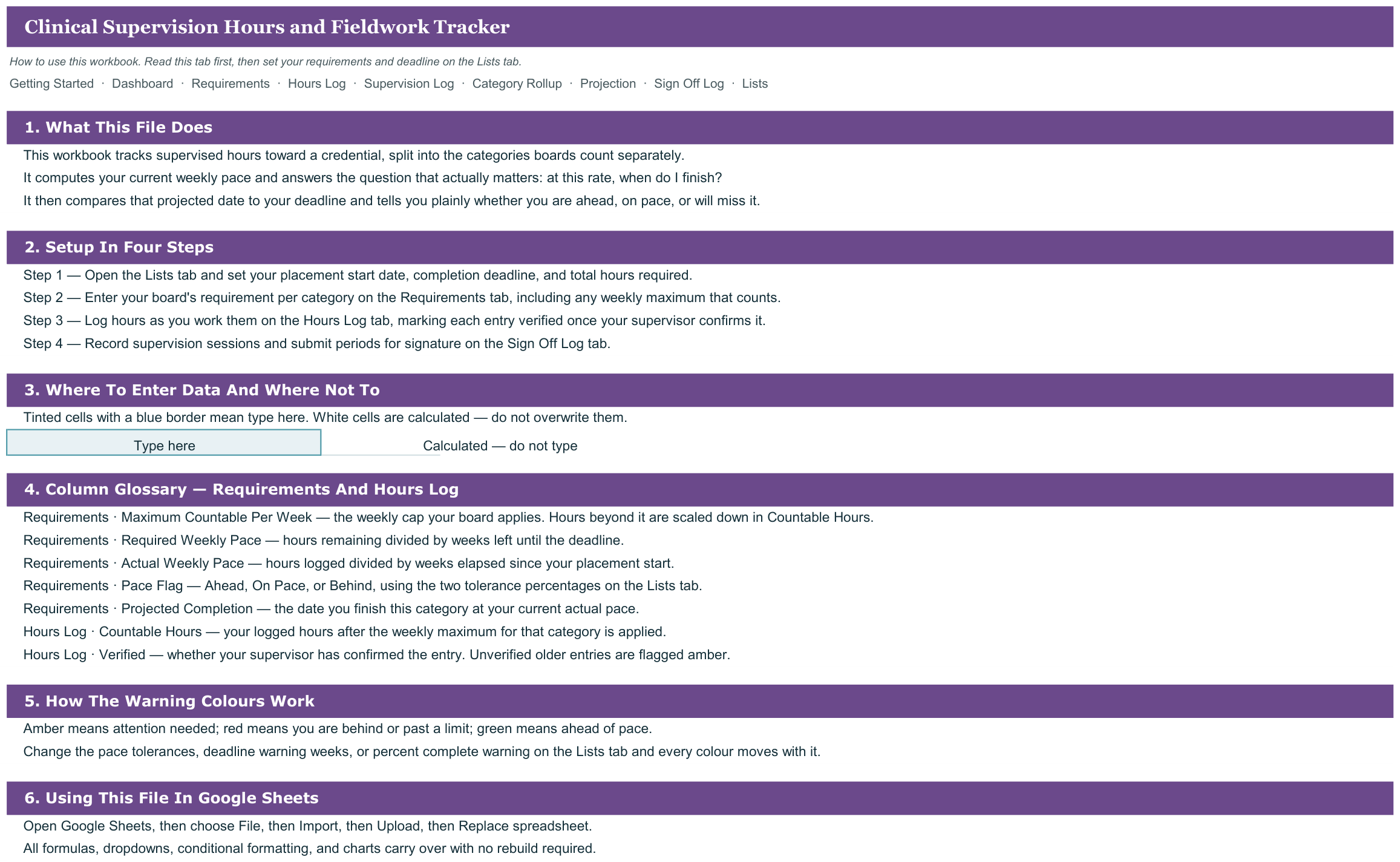
- Getting Started
- Dashboard
- Requirements
- Hours Log
- Supervision Log
- Category Rollup
- Projection
- Sign Off Log
- Lists
What it looks like

Works in
- Microsoft Excel 2016 or later, Windows and Mac
- Google Sheets - upload to Drive and open
- No macros, no add-ins, no subscription
Honest scope
This is an organizational template. It reports the data you enter. It does not determine mastery, eligibility or compliance, and it does not replace your district or clinic documentation system - those stay your professional judgement.