IEP Due Date Compliance Calendar
Every statutory clock on your caseload in one place — consent, evaluation, annual review and triennial — sorted by what is closest, with overdue in red before it becomes a compliance problem rather than after. It opens in Microsoft Excel and in Google Sheets, has no macros and nothing to install, and is reusable every school year.
What it does
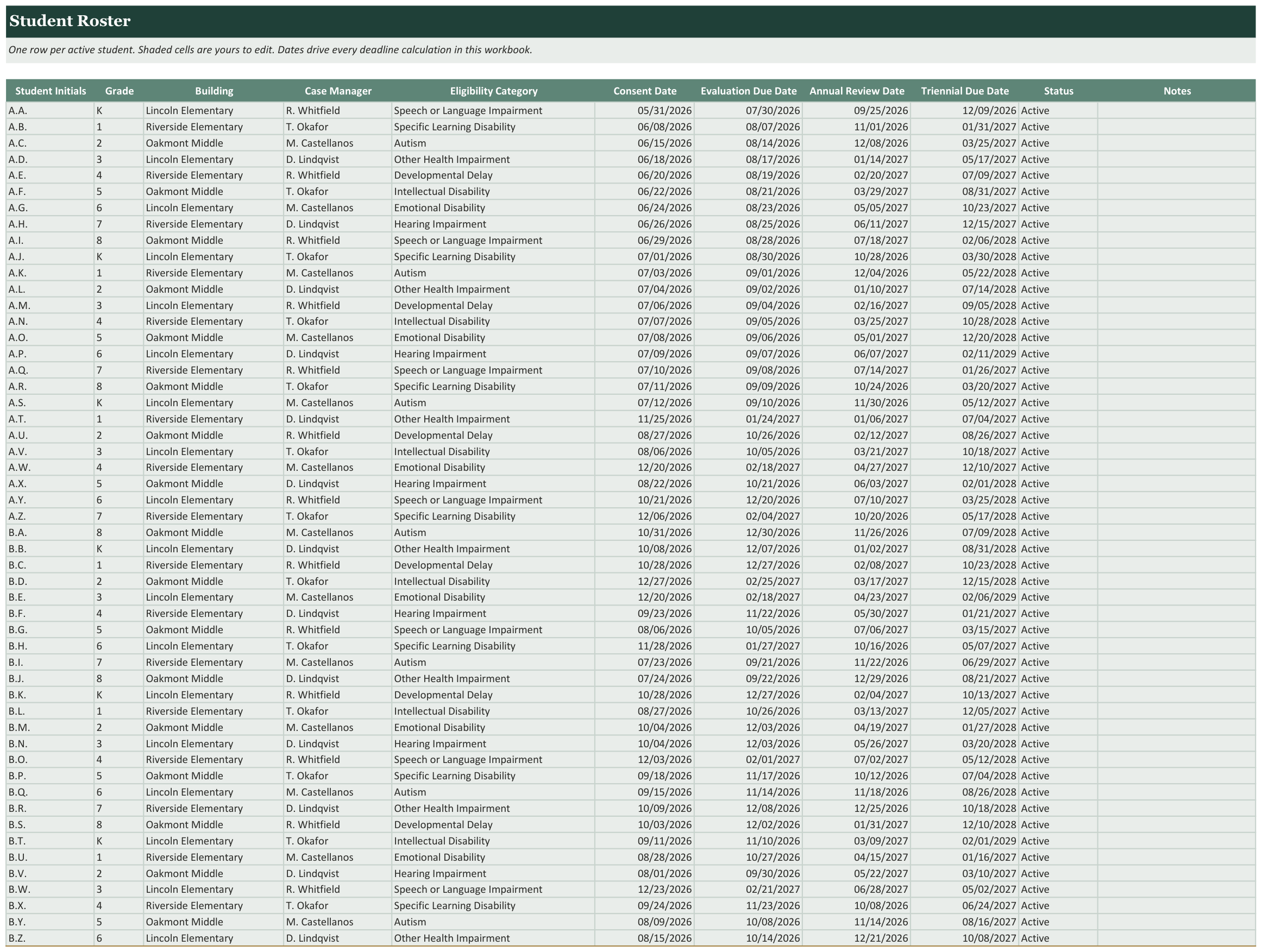
- Consent, evaluation, annual review and triennial dates per student
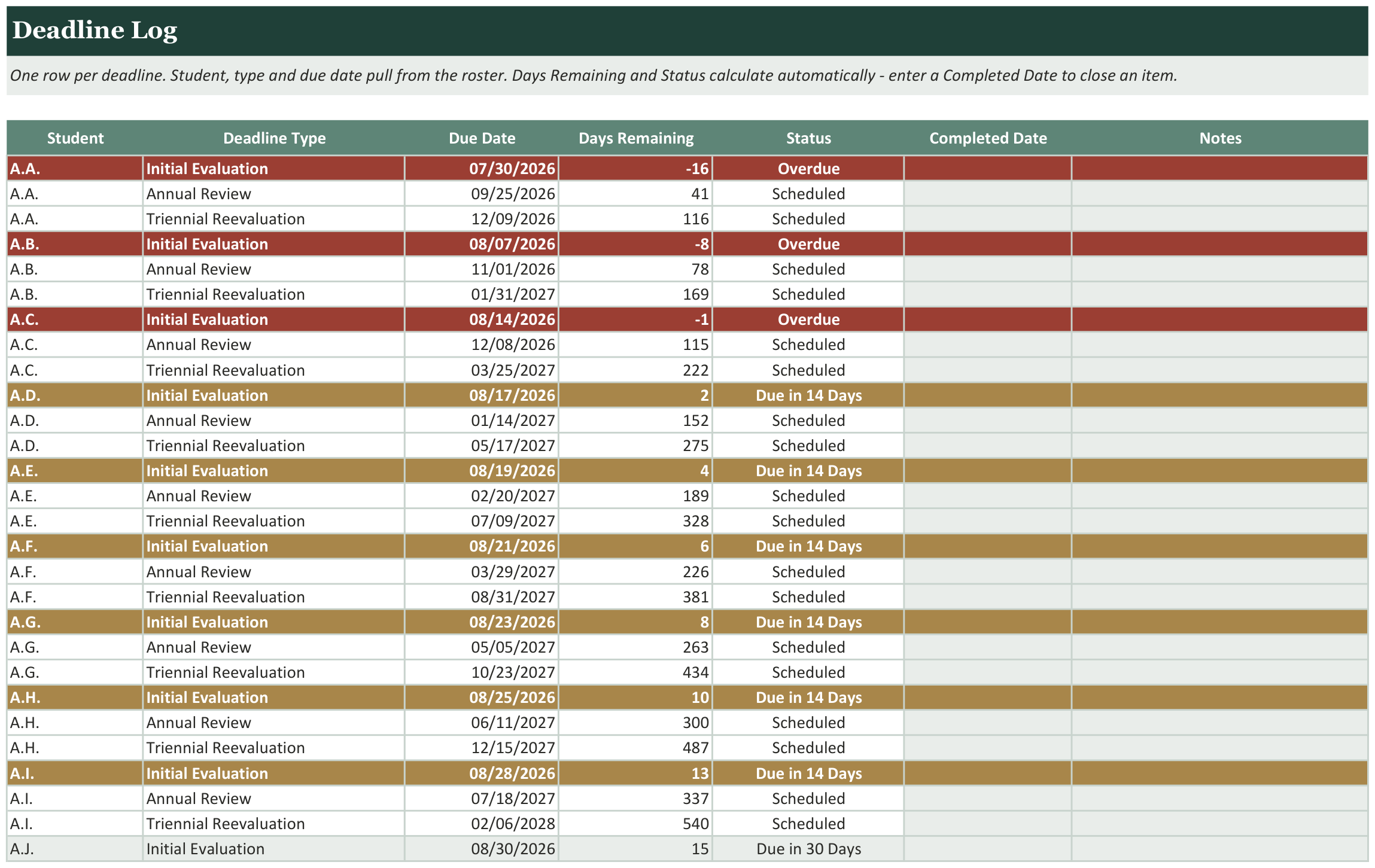
- One flat deadline log with days remaining calculated for you
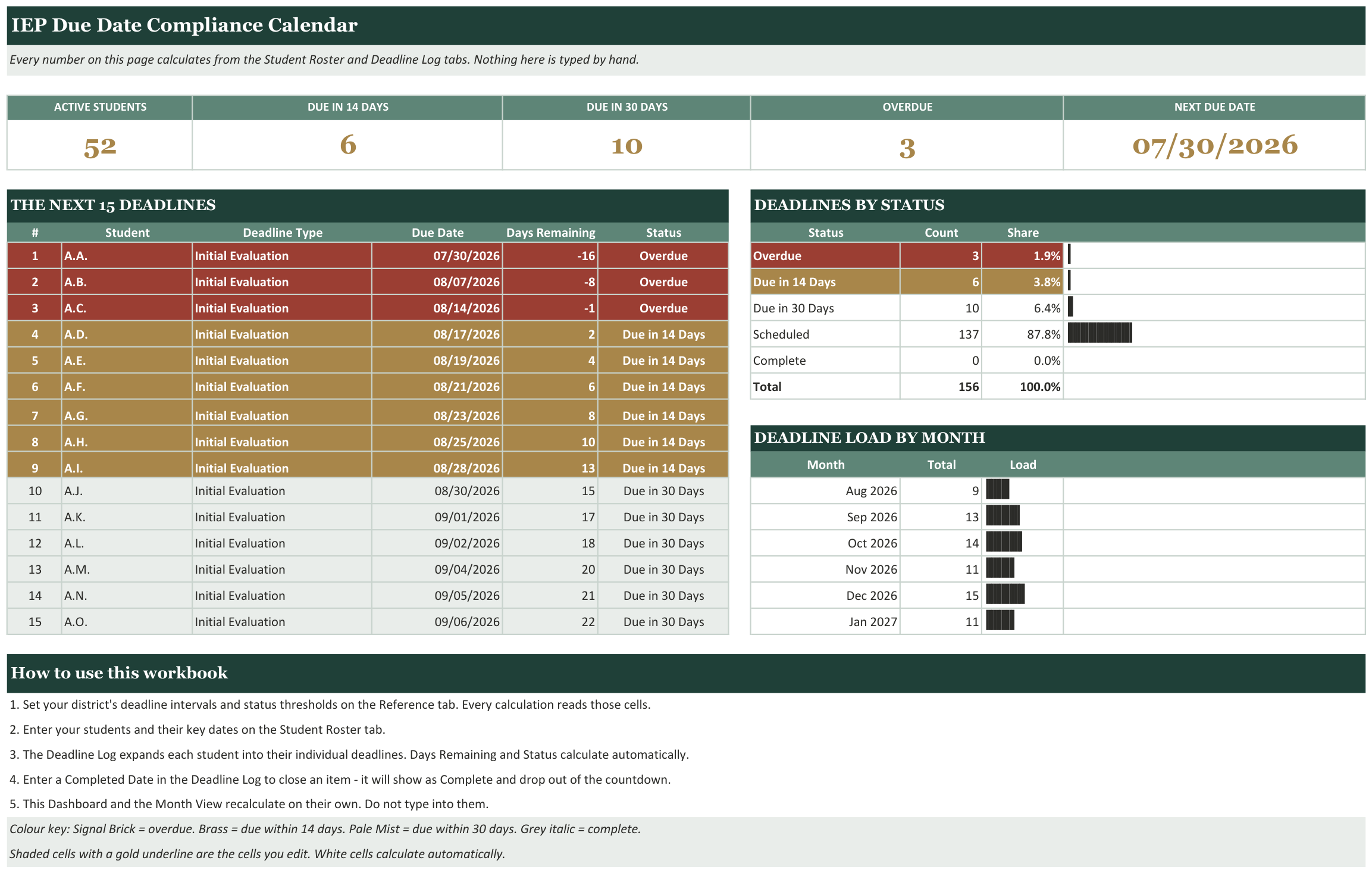
- The fifteen nearest deadlines surfaced on the dashboard
- Overdue in red, due-in-14 and due-in-30 in their own colours
- A twelve-month view so you can see where the work clusters
- Deadline intervals are inputs, not hardcoded — set your own
- The 14 and 30 day thresholds are editable too
- Counts of overdue and due-soon items at a glance
Every tab in the workbook
These are the actual sheet names in the file, not a feature list.
- Dashboard
- Deadline Log
- Student Roster
- Month View
- Reference
- Getting Started
What it looks like
Works in
- Microsoft Excel 2016 or later, Windows and Mac
- Google Sheets - upload to Drive and open
- No macros, no add-ins, no subscription
Honest scope
This is an organizational template. It reports the data you enter. It does not determine mastery, eligibility or compliance, and it does not replace your district or clinic documentation system - those stay your professional judgement.