SLPA Supervision Log
Document supervision of your assistant week by week, with the direct-observation percentage calculated against the requirement you typed in yourself — because it varies by state and by employer, and a file that hardcodes one is wrong for almost everybody. It opens in Microsoft Excel and in Google Sheets, has no macros and nothing to install, and is reusable every school year.
What it does
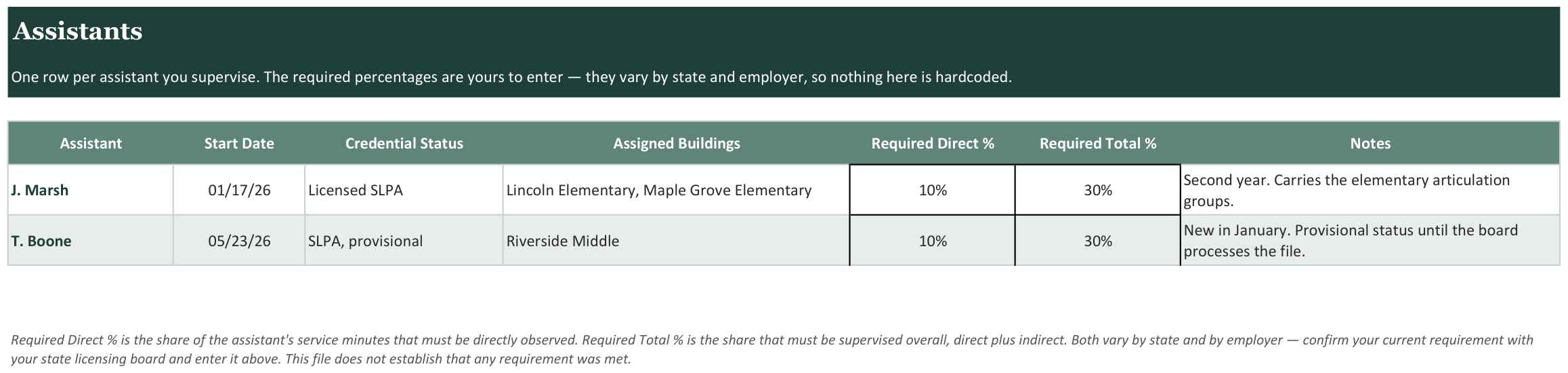
- Required direct and total percentages are inputs, never assumptions
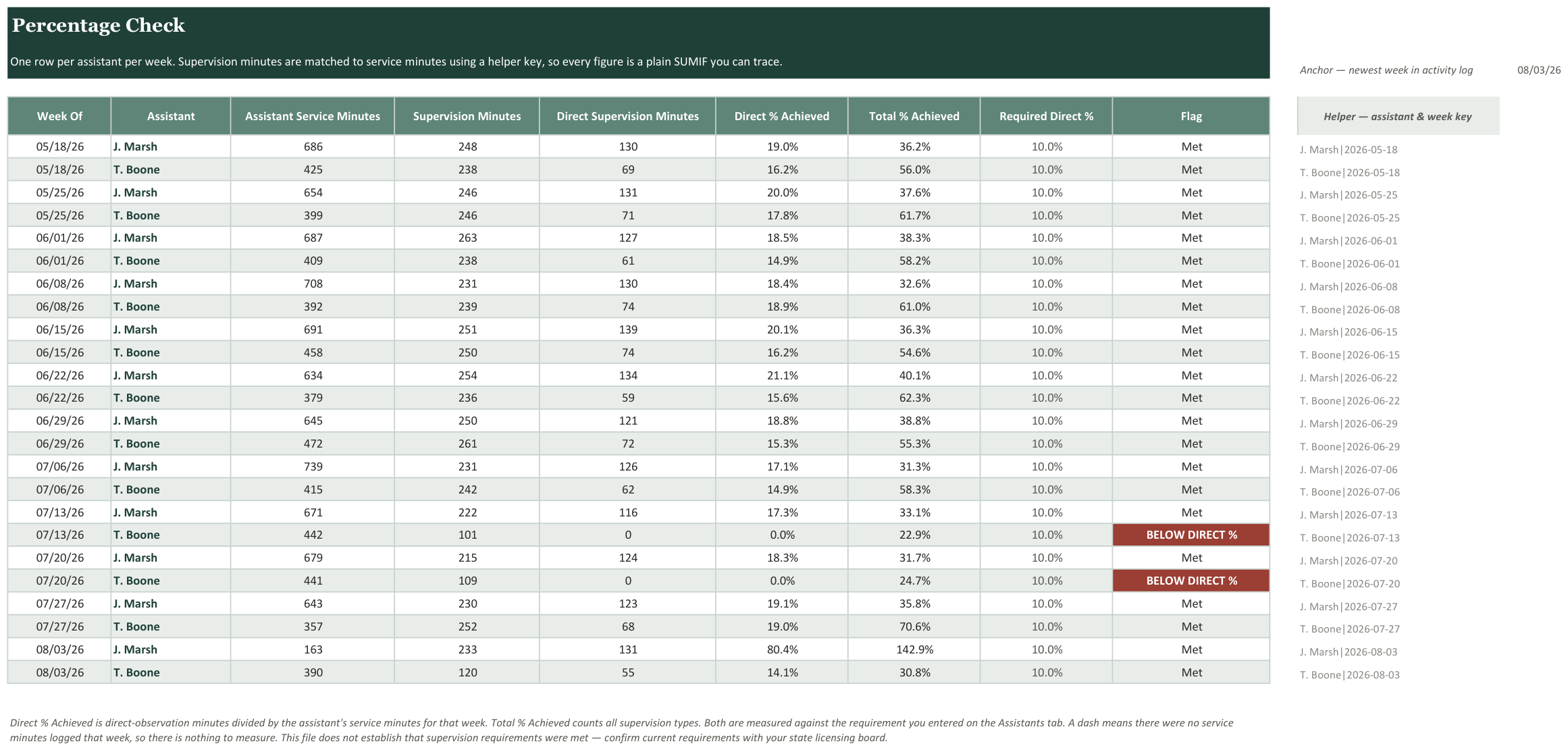
- Only direct observation counts toward the direct percentage
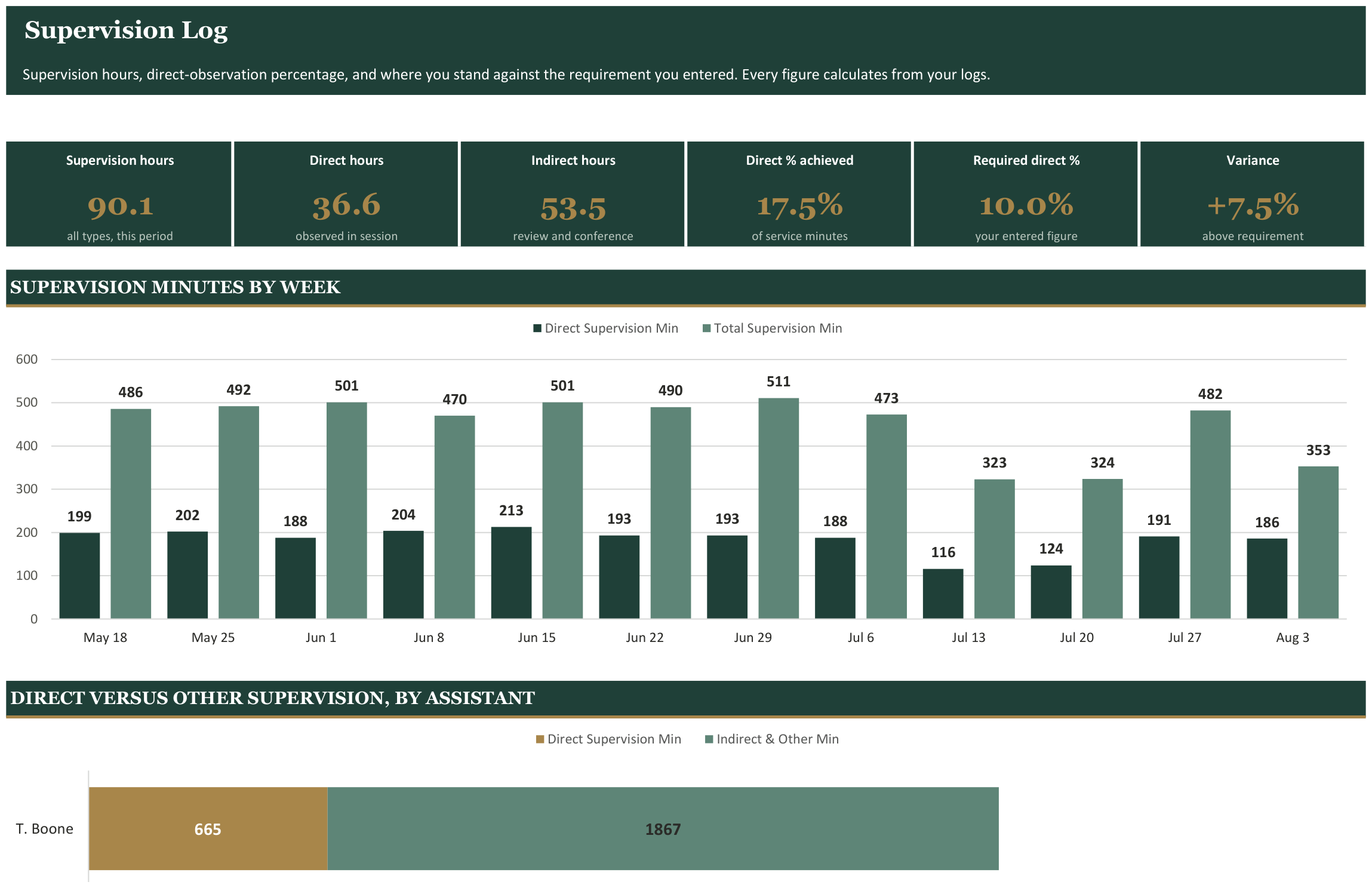
- Weekly rollup per assistant, twelve weeks at a glance
- Weeks below the required direct percentage flagged automatically
- Assistant activity log supplies the denominator the percentage needs
- Supervision trend charted week by week so a dip is visible early
- Reporting window anchored to a date you set
- Works for one assistant or several
Every tab in the workbook
These are the actual sheet names in the file, not a feature list.
- Dashboard
- Percentage Check
- Assistants
- Supervision Log
- Assistant Activity Log
- Getting Started
What it looks like
Works in
- Microsoft Excel 2016 or later, Windows and Mac
- Google Sheets - upload to Drive and open
- No macros, no add-ins, no subscription
Honest scope
This is an organizational template. It reports the data you enter. It does not determine mastery, eligibility or compliance, and it does not replace your district or clinic documentation system - those stay your professional judgement.